
Google Meet Sharing

Google Meet Sharing & Annotation

November 03, 20250 min read

#1: SCREEN SHARE:

To share your screen. (1) Click the little computer. (2) Click "entire window"
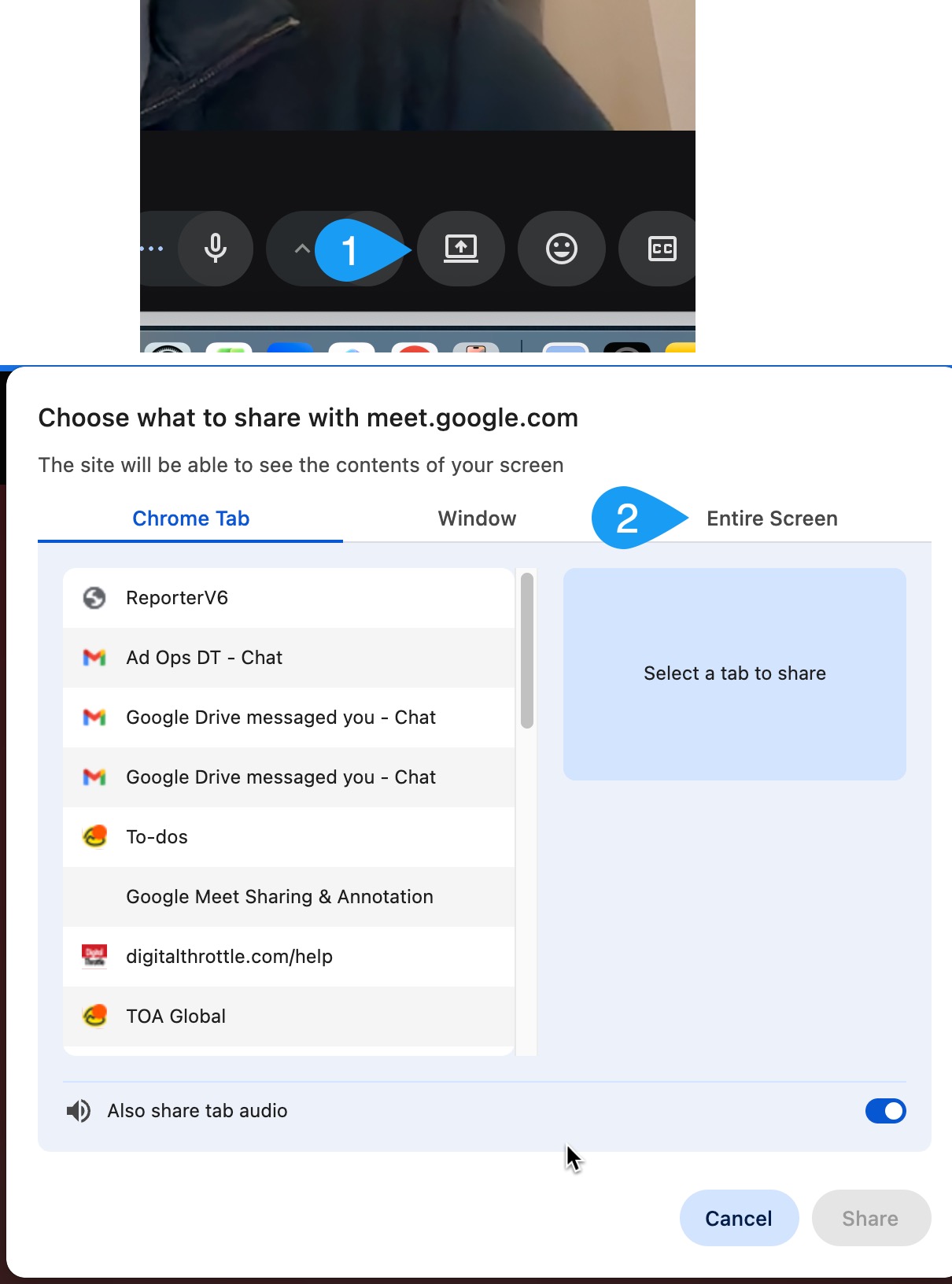
google meet screen share

#2: To Allow Others in the Meeting to scribble and add pointers to your screen:

Follow these steps to enable others to annotate on the shared screen.
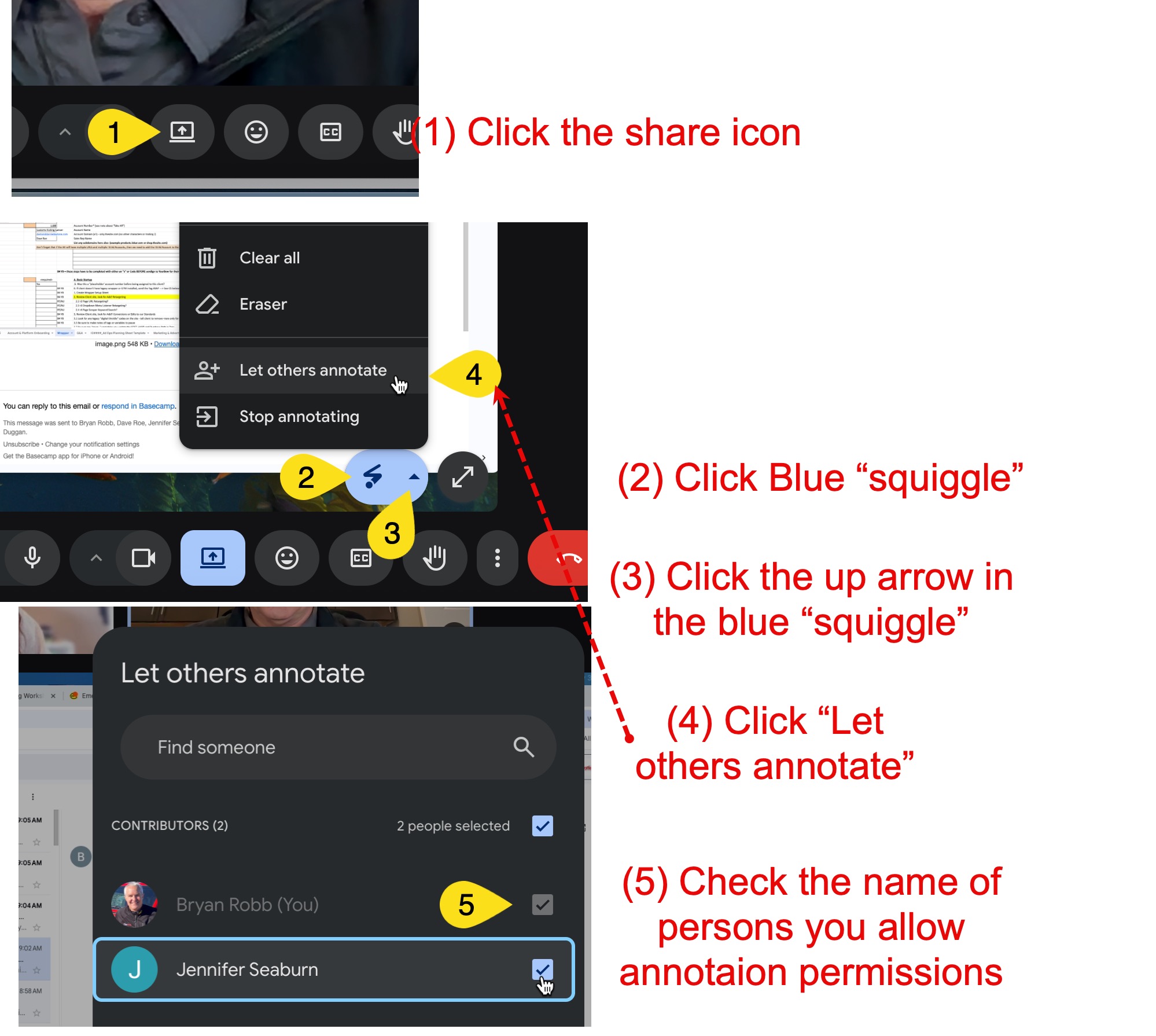
steps to allow google meet annotation

Back to Blog

Sign me up

Receive our regular newsletter & invitations to our webinars.

google partner badge
microsoft advertising partner badge
images of vehicle organization logos sema iab motorcycle industry association marine marketers association

© Copyright 2025. Digital Throttle. All Rights Reserved.